
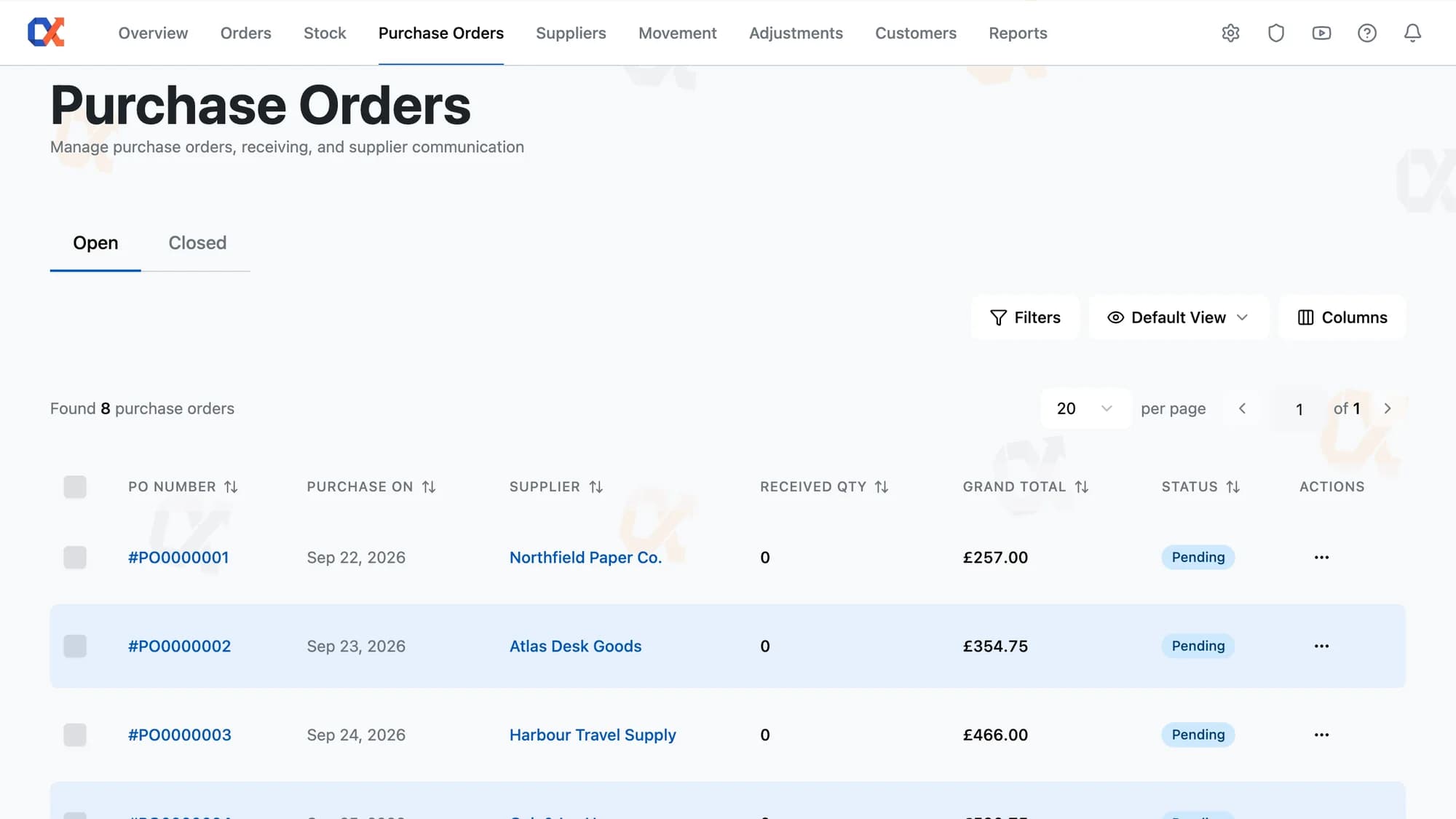

PURCHASE ORDERS & RECEIVING
Open the order and jump straight to what's running low, or work the supplier's whole catalogue. Both views arrive already priced from the cost saved against that supplier.
BUILD, SEND, RECEIVE
A delivery arriving short, split or re-priced gets settled on the order itself, never in a second document.
Products that need topping up are easy to spot, without checking stock levels one by one. Low Stock Products narrows the supplier's full list down to what sits strictly below minimum, with current stock, incoming stock and cost sitting on every row. The rest of the catalogue stays one click away under All Supplier Products.

The figure in a spreadsheet and the stock sitting on the shelf used to drift apart, one booked in WooCommerce and the other costed somewhere else. Receive Items ties them to the same action. Press Receive, and the stock count rises while the cost of those units is captured against the order.
Two thirds of a delivery today and the rest next week doesn't call for two separate records. Type the quantity that actually arrived and press Receive. The order stays in Processing, and becomes the record of what's still owed. No note has to live anywhere else.
Which address at a supplier actually takes orders stops being something to look up each time. Send PO Email reads the recipient and CC list straight from Manage Suppliers, set once against that supplier. Every future order for them follows the same address on its own.
A line can still be removed from a live order, right up until it has any received quantity against it. If a supplier calls to say a product is out of stock, that line comes off in Pending or Processing alike. Nothing about the rest of the order has to change.
HOW AN ORDER MOVES
Whether an order needs raising, chasing or closing follows from its status: Pending, Processing, Completed, Cancelled.
Tick products in the picker and they land on the order as staged lines. Quantity, cost and tax adjust per line, with Max filling the amount that tops the product back up. Save commits the staged lines to the order.
Send PO Email in the More menu delivers a branded order document to the supplier, carrying the line table, shipping cost, notes and totals from the order. The order itself moves from Pending to Processing in the same action.
Press Select Products to list only the lines still outstanding. Type the quantity received per line, or press Receive All to fill every staged line with its full remaining amount. Received lines turn read-only and sort below the lines still open.
Land the last outstanding unit and the order closes itself, cost of goods calculated at once. Mark Completed closes a short delivery instead, costing the order on the quantities that arrived. Received stock keeps the order exactly as it settled, permanently.
ORDER ESSENTIALS
Mark a short delivery finished whenever you're ready, saving any edits still on the line items.
Buy the same product from two suppliers, and each keeps its own stored cost on the line.
Committed spend shows as the grand total, updating the instant a line item changes.
Whoever needs a paper copy finds Print already there, for one order or a whole ticked batch.
See quantity ordered against quantity received, line by line, in a CSV sitting in the menu.
Every send shows on the order it belongs to, with recipient, CC, and time attached.
BUILDING THE ORDER
Building today's supplier order stops starting with a spreadsheet export and a highlighter. Every product added to the order comes from the same screen, whether picked one at a time or worked through in a batch. Come back later to add more, and the list already reflects what's on the order. Everything going to that supplier this round stays on this one order, not scattered across a tracking sheet and an inbox thread.
Both pickers, All Supplier Products and Low Stock Products, list only the products tied to this order's supplier, never the wider catalogue. Products already added to the order drop out of both lists. Ticking a product only stages the line; nothing is added to the order until Save is pressed. Quantity, cost and tax for each staged line still get set before anything is confirmed.
HOW IT COMPARES
What a purchase order carries from raising it to receiving it, versus the email you send and forget.
| Capability | Default WooCommerce | ATUM Inventory | Shelf Planner | Inventory Alpha |
|---|---|---|---|---|
| Order only what's below its minimum | – | |||
| Per-line purchase cost, tax and discount | – | – | ||
| Cost defaults from the supplier's price | – | – | ||
| Email the order to the supplier | – | |||
| Receive a delivery in parts over time | – | – | ||
| Each delivery keeps the price you paid for it | – | – | – | |
| Ordered units show as incoming stock | – | |||
| Close a short delivery at what arrived | – | – |
WORKS WITH YOUR STACK
No data migration, no separate dashboard. Inventory Alpha installs as a standard plugin and reads your existing WooCommerce orders and products.
FAQ
No. Every purchase order starts only when you press Prepare Purchase Order, and it lands in Pending with no lines until you build it. The Low Stock Products picker then shows what sits below its minimum, and Max fills the quantity that tops it back up. Send PO Email is the only step that reaches a supplier, and it moves the order from Pending to Processing.
Once stock has been received against an order, those units are already in inventory and carry a cost. Cancelling would leave stock on the shelf that no order accounts for. Cancel Order and Delete Order are both disabled the moment any unit is received. Remove the unreceived lines and select Mark Completed instead. The order moves to Completed, with cost of goods stored against what arrived.
Yes. In the Add Products picker, each variation is its own row under the 'Variable Product' parent header, with its own stock, incoming stock and cost. The header itself can't be ticked, only the variations. Ticking one adds it to the order as its own line, with its own quantity and purchase cost. Each line is received independently, and one variation can arrive while another stays outstanding.
Any quantity above what's outstanding on a line can't be entered in Receive Qty. The field shows Max with the outstanding number, and Receive stays disabled until the figure is brought back down. The order stays fully editable while it's in Processing. Raise the line's Qty Ordering to match what arrived, save, and Receive Items then records the delivery in full against the corrected quantity.
Yes. Purchase Orders and Receive Items are two separate grants in Roles & Permissions. A warehouse role can be given Receive Items and still have no way to create, edit, cancel, delete or email an order. Receiving happens on the Receive Items sheet of an order already in Processing.
Yes. Cost, quantity, shipping and notes can all still be changed while an order is in Processing, and unreceived lines can be added or removed. Sending the order does not close it: what the supplier was emailed and what the order says now can move apart. Resend PO Email sends the order as it stands now, not the version first sent. A line stops accepting edits once it has received stock.
No. There is no field to type a batch code into and no use-by date the product can track or warn on. Each delivery is still held apart from the others, with its own cost recorded against the quantity that arrived.
No, not in the supplier's own currency. Overseas suppliers are created, ordered from, and received against exactly like any other supplier. Purchase Cost is typed on each order line, and every figure on the order shows in the store's one currency.
Have a question we didn't cover? Contact our team →
Start free
What a supplier order cost, and where it stands, both live on that same order. Each receive updates it, and the finished order keeps the cost as its record.
Not charged for 30 daysCancel anytime5‑minute setup
The rest of the toolkit
Reorder levels, costs, bulk edit
Spend, AOV, and churn risk
The whole business on one screen
Who you buy from, at what cost
Why a stock number changed
Correct stock by hand, logged
None, View, or Full per page
Drag-and-drop report builder
Profit per order, pick and pack