

What each member of staff can see and do.
One access level, None, View, or Full, sits against every part of the product on a single grid. Set a feature to None and nobody in that role sees it.
ONE GRID, EVERY SCREEN
Which screens open, which figures show, and which buttons work all come from the same setting.
Withheld figures never leave the server. A role without the cost and profit grant gets the field back with no value in it, on every page that would normally carry the number. What reaches the screen is all there is. There is no fuller version of the data behind it.
Every row on a new role sits at None, all 29 of them. Moving one to View gives a role the read. Moving it to Full gives create, edit and delete, and the read comes with it. Nothing takes hold until Save is pressed.
Where one feature depends on another, the second switches on by itself. Setting Receive Items to Full moves Purchase Orders to View. The chain runs as far as it needs to. Nothing on the grid has to be worked out in advance.
Eight groups sit on the Permissions card, each named after a page in the product: Business Overview, Orders, Stock, Purchase Orders and four more. All eight start open. A click on any header folds that group's rows out of view. The rest of the card stays in place.
The same field can be editable for one role, read-only for another, and not there at all for a third. Each member of staff meets the version their own role holds. Whether the page opens at all is settled by the same grant.
SETUP TO STAFFED
Filling a role again reuses the setup already done. Only the person changes, role and access stay as built.
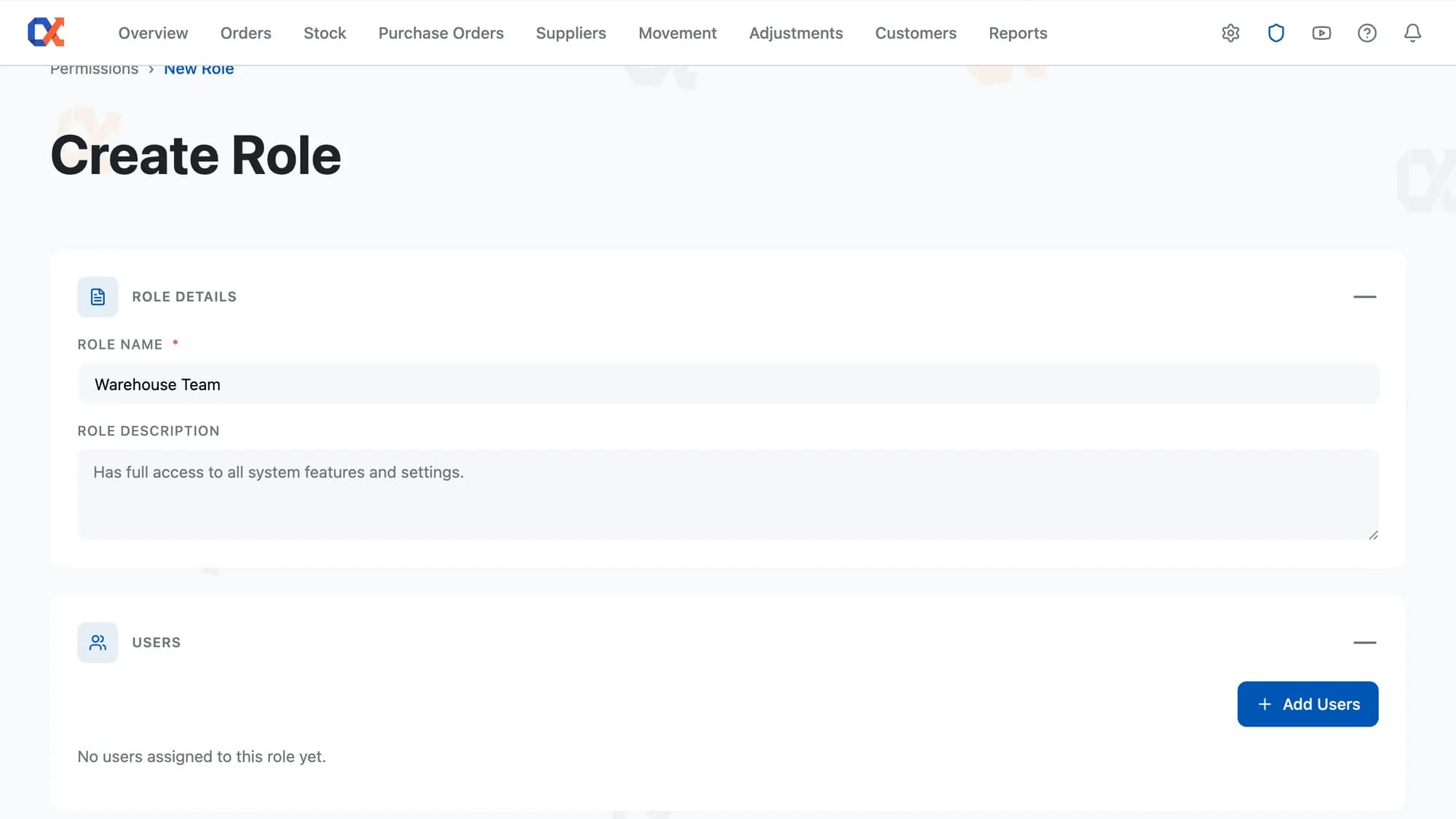
Press Create Role and name it after the job, Warehouse Manager or Accountant. Role Description is optional free text. The list starts empty on a new install, and every role on it is one the store defined.
Open the Permissions card and work down the rows, marking each feature at the level the role needs. Nothing is written while you click. Press Save and the name, the description, and the whole grant set commit in one go.
Click Add Users, filter by name or email, and tick whoever is joining. Anyone already in another role shows as taken, with the role they hold visible. Press Save and the new starter picks up the role's access as it already stands.
ROLE ESSENTIALS
Five pages nest a Summary Metrics row separately: Orders, Stock, Manage Suppliers, Inventory Movement, Customer Analytics.
Across the product, a denied button always carries the same fixed tooltip line.
Anyone who can switch Inventory Alpha off is not gated inside it.
Username, Name, and Email filters combine into one search across the list.
Checking what somebody can reach means opening one role, not adding two together.
Delete Role reads "This will unassign 5 users from this role" before the confirm.
SERVER-SIDE ENFORCEMENT
Two people with different jobs can open the same WordPress admin and read two different truths from the same order. A picker sees what needs packing and where it sits. An accountant, given the grant, also sees what the item cost and what the order made. The store keeps one order record, not a separate cut-down copy for the picker; the picker's version of it simply carries no cost or profit figure.
Each time anyone saves a change to the order, the same grant is checked again, fresh against the server rather than whatever the screen last showed. A request aimed straight at the order, bypassing the usual page, meets exactly the same check. The cost and profit figures are held back at the server, before the picker's browser is ever sent them. What arrives is already the picker's version.
HOW IT COMPARES
Shop Manager is one switch for the whole store. These rows are about the twenty-nine you get instead.
| Capability | Default WooCommerce | ATUM Inventory | Shelf Planner | Inventory Alpha |
|---|---|---|---|---|
| Named roles built without leaving the plugin | – | – | – | |
| None, View, or Full on every feature | – | – | – | |
| Assign staff from a filterable user picker | – | – | ||
| See each person's role on the Users list | – | – | ||
| Cost and margin hidden from chosen staff | – | – | ||
| Dependent permissions switch on for you | – | – | – |
WORKS WITH YOUR STACK
No data migration, no separate dashboard. Inventory Alpha installs as a standard plugin and reads your existing WooCommerce orders and products.
FAQ
Shop Manager is a single WooCommerce role that covers the whole store as one unit, with no separate level for any one area. Inventory Alpha sets each part of the product on its own, at None, View, or Full, on the role assigned to a member of staff. That per-part setting decides which page that person opens and what they can do on it.
One role per user, always. The staff picker inside a role lists everyone eligible, with a ROLE column showing the role already held or a dash when none is held; a person already in a role cannot be ticked into a second one. Each role is built by setting a level against every part of the product, so one role can cover what two separate jobs need.
Immediately, from the next page they open. Saving a role updates every permission on it in one go, and the screen confirms with Role saved. Any screen already open in another tab keeps its old menus and columns until it's reloaded.
No new accounts. Inventory Alpha works from the WordPress users already on the site. The staff picker only offers people who already exist as WordPress users: shop managers, editors and contributors appear on the list, and customer accounts and administrators do not.
Deleting a role unassigns every staff member on it immediately. On the WordPress Users list, the Inventory Alpha Role column against each of them changes to a dash. Inventory Alpha disappears from their admin menu, and a page opened directly refuses to load. Their WordPress account is untouched: they stay signed in, keep their WordPress role, and carry on in WooCommerce and Products. Put them in another role and they pick up whatever that one grants.
Have a question we didn't cover? Contact our team →
Start free
Name a role after a job and set its levels once. Drop a new starter into that role, and access, screens, and figures fall into place on their own.
Not charged for 30 daysCancel anytime5‑minute setup
The rest of the toolkit
Reorder levels, costs, bulk edit
Low stock → ordered → received
Spend, AOV, and churn risk
The whole business on one screen
Who you buy from, at what cost
Why a stock number changed
Correct stock by hand, logged
Drag-and-drop report builder
Profit per order, pick and pack